Getting Started
Installation
Install the UUIF plugin from FAB.com.
In Unreal Editor, go to Edit → Plugins.
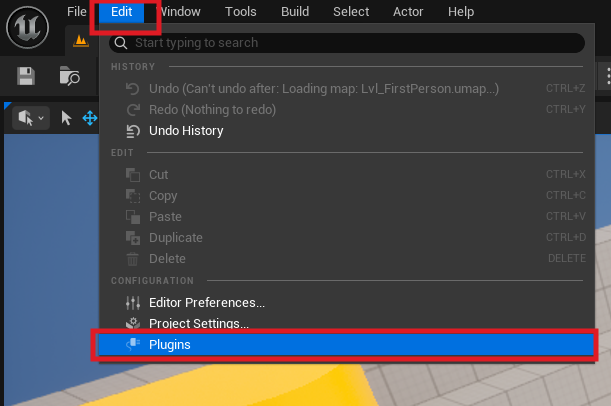
Search for UUIF (Universal User Interface Framework) and enable it (if it's not enabled already). Unreal Engine will ask you to restart — confirm the restart.
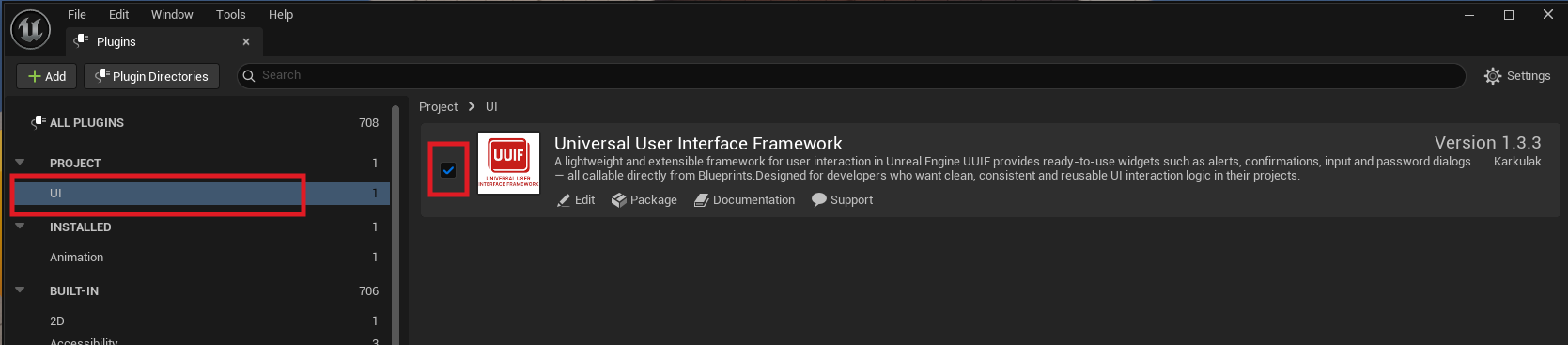
Select your UI theme after restarting.
With UUIF enabled, you needo to choose a theme that controls the default colors, fonts, padding and other style parameters.
Go to: Edit → Project Settings → Game → UUIF Settings → UUIF Default Theme and select: UUIF_ThemeSettings
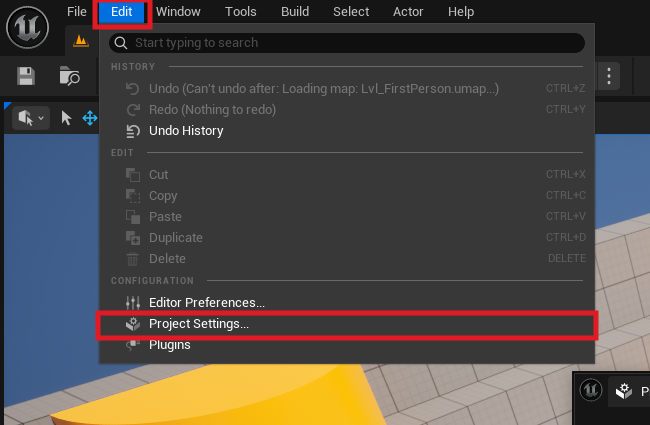
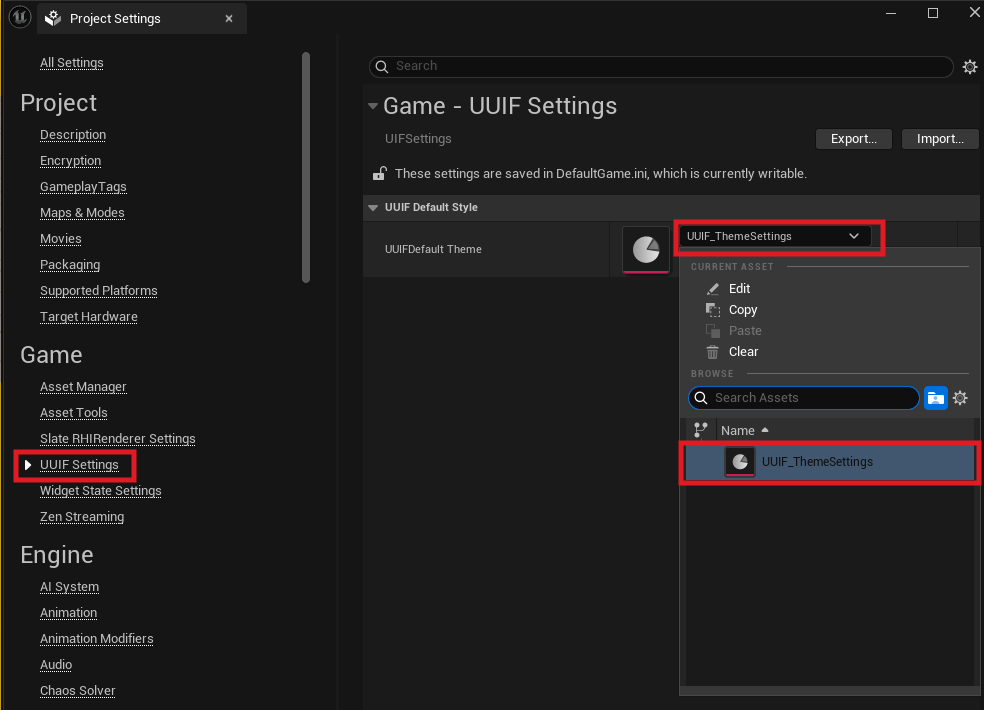 (Recommended: use this default theme and adjust colors / fonts directly inside it.)
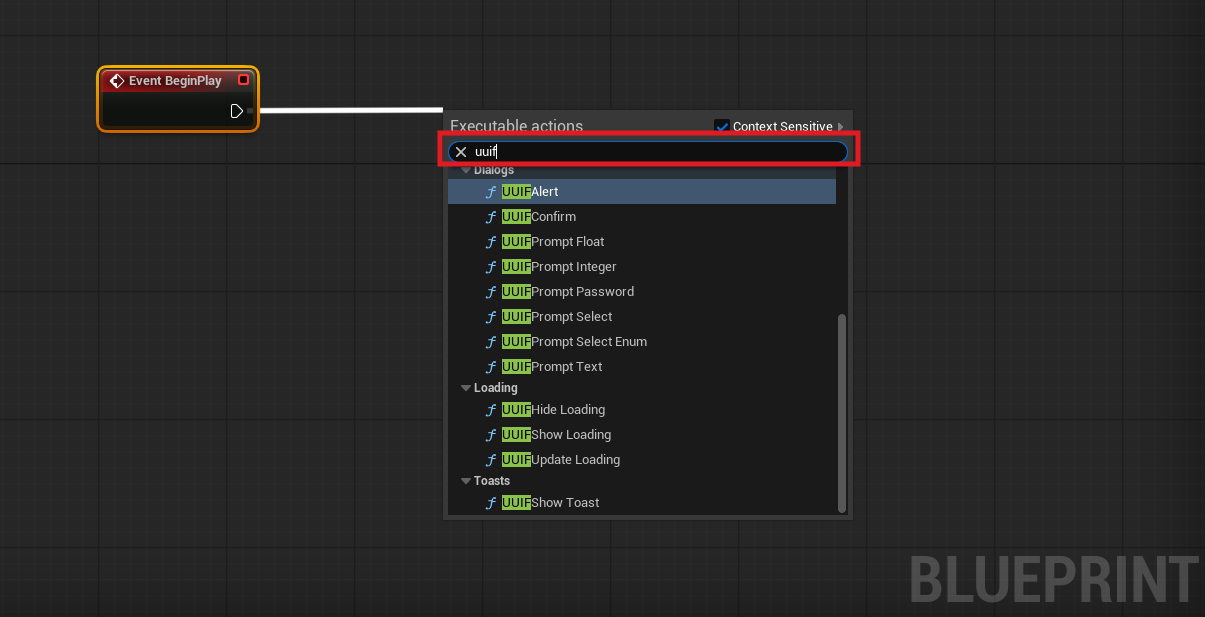 You can now place UUIF widgets in your project. Yes — that's really all you need to start. 😊
All UUIF widgets will appear automatically in your Widget Blueprint palette.
You can now place UUIF widgets in your project. Yes — that's really all you need to start. 😊
All UUIF widgets will appear automatically in your Widget Blueprint palette.
Demo Content (Optional)
A full demo is included with the plugin to help you understand how each widget works.
Open the demo level located at: UUIF Plugin → Content → Demo → UUIF_DemoMenuLevel When you open it, you'll see practical examples of all widgets in action. To explore the demo UI logic, check the main demo widget: UUIF Plugin → Content → Demo → Widget → WBP_UUIF_Menu These examples show recommended usage patterns and typical UUIF workflows.
Styling Your UI
All widget styles can be customized through the theme file: UUIF Plugin → Content → Settings → UUIF_ThemeSettings Inside this asset, you can adjust:
- Colors
- Fonts (family, size, style)
- Spacing & padding
- Widget-specific style parameters
- Every section is clearly labeled, so customization is straightforward.
Editing Widgets (Important Notes)
You can freely edit the UUIF widgets themselves if you need layout changes — for example:
- Moving elements
- Adding extra UI components
- Adjusting hierarchy
- Minor layout tweaks
BUT: Be very careful when editing them, because the C++ backend expects specific element names. Do not change their color/style inside the widget — these values are overridden globally by the theme (UUIF_ThemeSettings).
If you break something, simply re-download the plugin from FAB.com. So: tweak with care. 😄